How to Create an Anniversary Digital Video Invitation Online (Step-by-Step Guide)
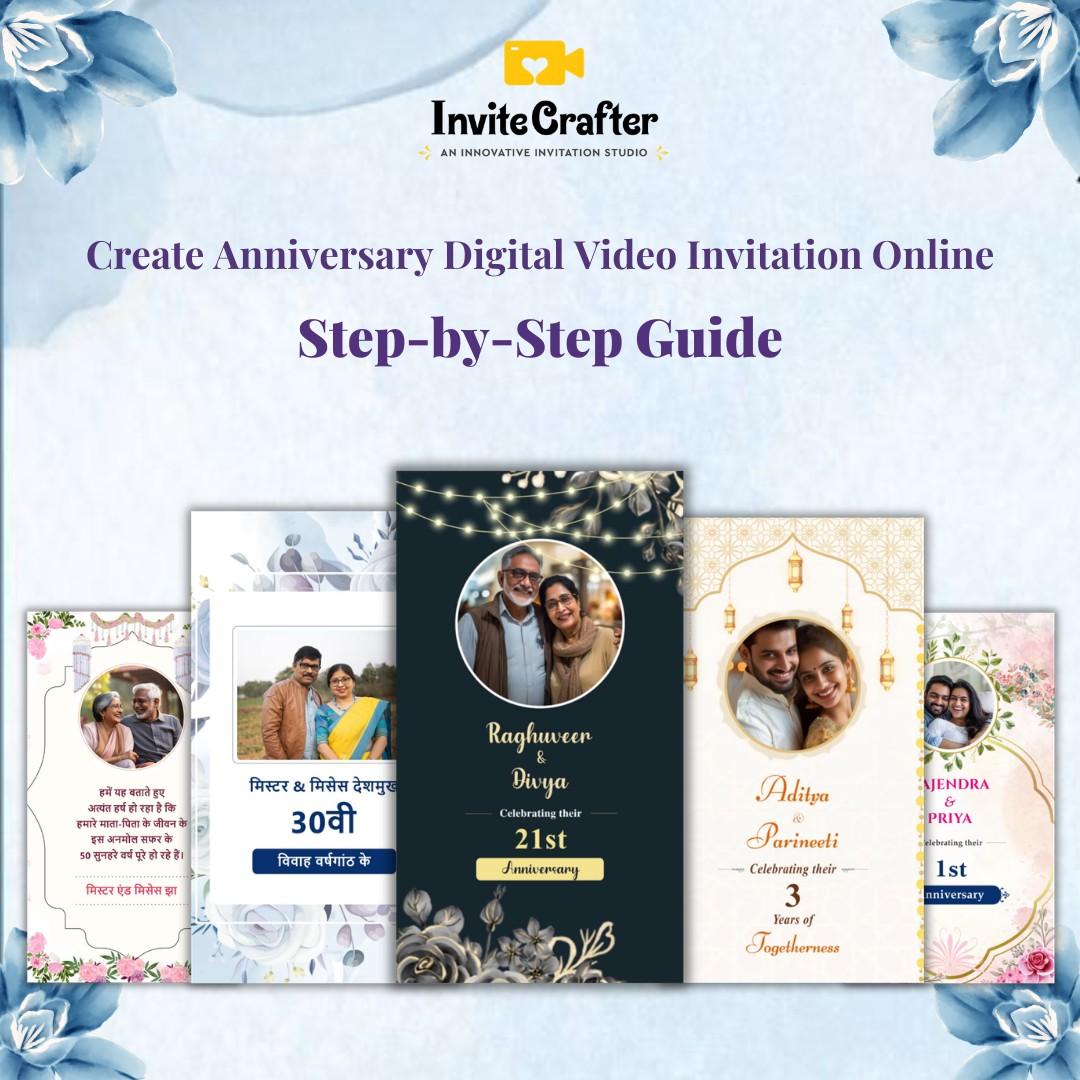
An anniversary digital video invitation is a customizable e-invite that includes event details, photos, music, and RSVP info. It can be shared instantly via WhatsApp, Instagram, Facebook, or email.
If you are looking to create an anniversary digital video invitation online, this step-by-step guide will help you design a professional and shareable video invite in minutes. Digital anniversary invitations are now more popular than printed cards because they are easy to create, affordable, and instantly shareable.
In this blog, we will explain in detail:
What is an anniversary digital video invitation?
What are its benefits?
How to create one online step by step
How you can create invitations in minutes using a platform like InviteCrafter
This complete guide is suitable for beginners as well as for those who want to take their event planning to the next level.
What Is an Anniversary Digital Video Invitation?
An anniversary digital video invitation is an invitation card designed in an animated or cinematic video format that you can easily share on WhatsApp, Instagram, Facebook, email, or any other social media platform.
It usually includes:
Couple’s names
Anniversary type (1st, 10th, 25th, 50th, etc.)
Date and time
Venue details
RSVP contact
Background music
Photos or love story highlights
It is an upgraded version of the traditional card that offers a modern presentation with an emotional touch.
Why Choose an Anniversary Digital Video Invitation?
1. Cost-Effective
Printed cards include printing, courier, and design costs. With a digital invitation, you design it once and send it to an unlimited number of people.
2. Instant Sharing
The invitation reaches all guests with just one click on WhatsApp. There is no delay.
3. Eco-Friendly
There is zero paper waste, making it an environmentally friendly option.
4. Personalized and Emotional
You can add your own photos, background music, and moments from your journey. This invitation becomes more than just a card; it becomes a memory.
5. Modern Impression
Digital video invitations offer a classy and premium feel.
Step-by-Step: How to Create an Anniversary Digital Video Invitation Online
Now let’s look at the exact process you can follow to easily create your own anniversary video invitation.
Step 1: Choose a Reliable Online Platform
First, you need to choose a reliable online invitation maker. There are plenty of tools available in the market, but you should select a platform that offers:
Ready-made anniversary templates
Easy customization
HD quality export
No watermarks
If you want a quick and professional solution, platforms like InviteCrafter allow you to create anniversary video invitations in minutes without any technical skills.
Step 2: Select an Anniversary Video Template
After opening the platform, select the anniversary category. Here, you can find:
Romantic cinematic themes
Golden anniversary themes
Floral themes
Minimalist typography styles
Modern reel-format invitations
Choose a template based on your event’s theme.
Tip: If you're celebrating a 25th anniversary, a golden theme works best. For a 1st anniversary, a romantic soft theme is perfect.
Step 3: Add Event Details
Now, add your details to the template:
Husband’s and wife’s names
Anniversary year (Example: Celebrating 10 Beautiful Years)
Date and day
Time
Venue address
Google Maps link (optional but useful)
RSVP number
Make sure the text is short and clear. Avoid adding too much text in video invitations.
Example format:
“Join us in celebrating
Rahul & Priya’s
10th Wedding Anniversary
Sunday, 20th April 2026
7 PM onwards
Grand Palace Banquet, Delhi”
Step 4: Upload Photos and Videos
Upload high-quality photos or short video clips to enhance the emotional appeal of your invitation.
You can include:
Wedding day photos
Pre-wedding shoot pictures
Family photos
Recent couple photos
Make sure the images are high resolution so that the final video does not look blurry.
Step 5: Choose Background Music
Music adds emotion to the invite. Add a romantic instrumental track or a soft love theme as background music.
If the platform offers a built-in music library, choose copyright-free music.
Step 6: Preview and Edit
Always preview the video before the final download.
Check for:
Spelling mistakes
Correct date and time
Proper photo placement
Correct music timing
Even small mistakes can affect the overall impression of your event.
Step 7: Download in HD Quality
Always download the video in HD (1080p) format. This ensures the video does not appear blurry on WhatsApp or Instagram.
Make sure the file size is optimized for easy sharing.
Step 8: Share on Social Media and WhatsApp
You can now share your anniversary digital video invitation through:
WhatsApp broadcast
Family groups
Instagram stories
Facebook events
Email
You can also generate and share a QR code for easy access.
Anniversary Video Invitation Ideas (Trending in 2026)
If you want your invitation to stand out, try these trending ideas:
Love story timeline video
Then and now photo comparison
Kids’ message for parents’ anniversary
Cinematic trailer-style invite
Reel-format vertical video invitation
A short 30–45 second invite is usually the most effective.
Why InviteCrafter Is a Smart Choice
If you are a beginner and do not have technical knowledge, using a platform like InviteCrafter is a simple solution.
Here, you can:
Choose from ready-made anniversary video templates
Customize names and photos easily
Download in HD format
Prepare your invite in minutes
It is a time-saving and budget-friendly option.
Common Mistakes to Avoid
Adding too much text
Using low-quality photos
Choosing overly loud music
Making the video too long (avoid more than 1 minute)
Creating the invite at the last minute
Plan at least 5–7 days before the event.
Conclusion
In today’s digital age, an emotional video invitation is more impactful than a printed card and is something people often save.
Creating an anniversary digital video invitation online is simple. Choose a template, customize your details, upload photos, add music, preview, and download in HD format. With the help of platforms like InviteCrafter, you can create a professional anniversary video invite in less than 15 minutes.
Start creating your anniversary video invitation today with InviteCrafter and make your celebration unforgettable.
Frequently Asked Questions (FAQs)
Q1. How can I create an anniversary digital video invitation online?
You can use an online anniversary invitation video maker, choose a template, customize your details, upload photos, and download the video in HD format.
Q2. What should be included in an anniversary video invitation?
Include the couple’s names, anniversary year, date, time, venue, RSVP details, and optional photos or background music.
Q3. What is the ideal length of an anniversary invitation video?
The ideal length is 30 to 45 seconds to keep it engaging and easy to share on WhatsApp and Instagram.
Q4. Can I share a digital anniversary invitation on WhatsApp?
Yes, anniversary video invitations can be easily shared via WhatsApp, Instagram, email, and other social media platforms.
